
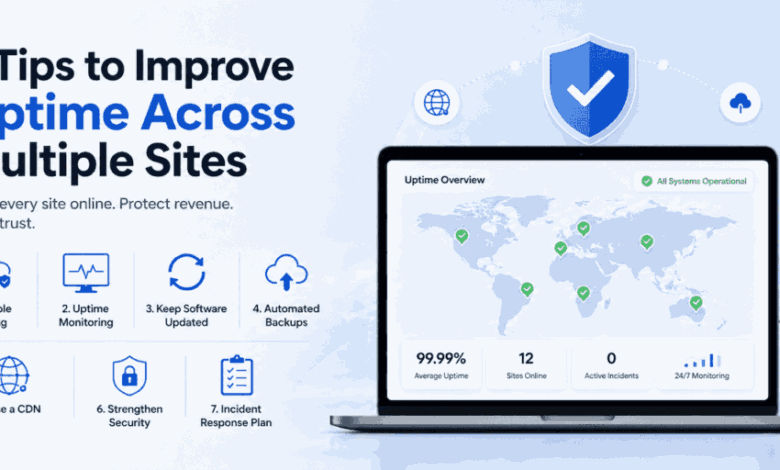
7 Tips to Improve Uptime Across Multiple Sites
Uptime is the quiet metric that underpins everything else. Your content strategy, conversion funnels, and SEO efforts all assume one fundamental thing: that your site is actually online when someone tries to visit it. For operators managing a single website, occasional downtime is frustrating. For those managing dozens of sites, even a brief outage on one property can trigger client calls, lost revenue, and reputational damage that takes far longer to repair than the outage itself.
The challenge with multi-site uptime is that complexity works against you. More sites mean more plugins, more configurations, and more potential points of failure. But complexity does not have to mean fragility. With the right practices in place, high uptime becomes the norm rather than something you nervously hope for.
Here are seven practical tips to improve uptime across every site in your portfolio.
1. Choose Hosting Infrastructure Built for Reliability
Uptime starts at the foundation. No amount of optimization can compensate for hosting that lacks redundancy. Look beyond headline uptime percentages and examine what supports them: redundant power systems, geographically distributed data centers, automated failover mechanisms, and network connections from multiple carriers.
Strong infrastructure does not just reduce the likelihood of outages; it also shortens recovery time when something does go wrong. Failover systems that detect hardware failure and migrate workloads to healthy servers in seconds are the difference between an outage your visitors notice and one they never know happened.
2. Implement Comprehensive Uptime Monitoring
You cannot fix what you do not know is broken. Multi-site operators need monitoring tools that check every property continuously from multiple geographic locations. Tools like UptimeRobot or Pingdom verify availability at frequent intervals and send instant alerts the moment a site becomes unreachable.
Configure monitoring that goes deeper than a basic ping. Verify that pages return correct status codes, that SSL certificates remain valid, and that response times stay within acceptable thresholds. A site that technically responds but takes fifteen seconds to load is functionally down for most visitors.
3. Keep Software Updated Across Every Site
Outdated software is a leading cause of both security breaches and unexpected downtime. A plugin vulnerability can be exploited to crash a site. An incompatibility between an outdated theme and a new WordPress release can break page rendering without warning.
Automated update management tools make this feasible at scale. Schedule updates during low-traffic windows, enable automatic restore points before each deployment, and use visual regression testing to catch layout issues before they reach visitors. Consistent updates eliminate the ticking time bombs that outdated software creates.
4. Automate Backups With Tested Restore Procedures
Backups do not prevent downtime, but they dramatically reduce its duration. When a site goes down due to a failed update or a security incident, a recent automated backup lets you restore to a working state in minutes rather than rebuilding for hours.
The critical word here is “tested.” A backup that has not been verified through an actual restore is an assumption, not a safety net. For teams managing many sites, a reliable multiple website hosting platform simplifies this by offering automated daily backups with one-click restoration built into the hosting dashboard, ensuring every property is covered without relying on a patchwork of third-party solutions.
5. Use a Content Delivery Network
A CDN distributes your site’s static assets across a global network of edge servers, reducing load on your origin server and providing resilience against traffic spikes. If your primary server experiences a problem, many CDN configurations can continue serving cached content, effectively masking brief outages from visitors.
Beyond uptime benefits, CDNs improve load times for geographically dispersed audiences, contributing to lower bounce rates and better search performance, a double win for any multi-site operator.
6. Harden Security to Prevent Downtime-Causing Attacks
A significant portion of unplanned downtime stems from security incidents. DDoS attacks overwhelm server resources, malware injections corrupt critical files, and brute force attempts can crash login systems. Proactive hardening through server-level firewalls, automated malware scanning, login throttling, and Web Application Firewalls prevents these attacks from impacting availability.
Apply security measures uniformly across every site. A single unprotected property can serve as an entry point that compromises the stability of your entire operation.
7. Establish an Incident Response Plan
Even with the best prevention, outages will occasionally happen. What separates resilient operators from the rest is how quickly they respond. An incident response plan defines who is responsible when a site goes down, what diagnostic steps to follow, how to communicate with affected clients, and when to escalate to the hosting provider.
Document this plan, share it with your team, and rehearse it periodically. A clear and practiced response eliminates the confusion that turns a manageable incident into a prolonged crisis.
Uptime Is a Practice, Not a Feature
Achieving high uptime across multiple sites is not something you set and forget. It is an ongoing discipline built from smart infrastructure choices, consistent maintenance, layered security, and rapid incident response. Each of these seven tips reinforces the others, creating a system where reliability compounds over time. The more deliberately you invest in uptime today, the fewer emergencies you will face tomorrow, and the more confidently you can grow your portfolio knowing every site stands on solid ground.