
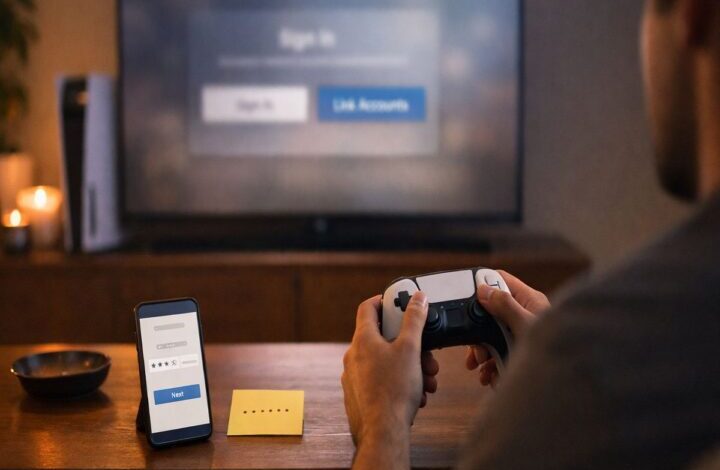
If you bought Forza Horizon 5 on PS5 and the game immediately asks you to sign in with a Microsoft account, you’re not alone — and you’re not doing anything wrong.
This is just how FH5 works on PlayStation: you play on a PSN profile, but the game also needs a Microsoft account link to connect you to cross-play services and the wider Forza community. It’s one of those steps that feels a bit “extra” until you realize it affects everything from cross-platform friends to invites to certain synced online stats.
This guide walks through the linking flow, the permanent-linking rule (the one people tend to miss), and what to do if something goes sideways. For the bigger overview of cross-play itself, keep the page handy: is forza horizon 5 cross platform. And if your actual goal is “I just want to play with my friend tonight,” the tactical steps are in how to add cross-platform friends in Forza Horizon 5.
Why FH5 on PS5 requires a Microsoft account
Forza Horizon 5 on PS5 requires a Microsoft account in addition to a PSN account. The official FH5 PS5 FAQ explains that this linking process begins the first time you start the game on your console.
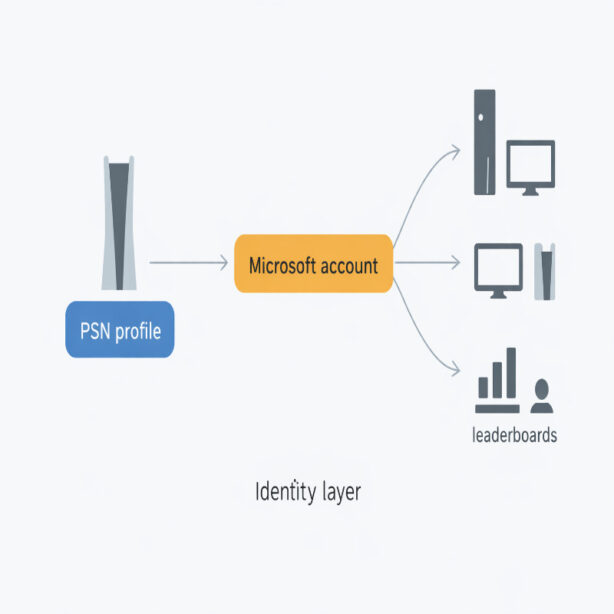
In practical terms, it gives FH5 a consistent identity layer (your Microsoft account / Xbox services identity) so cross-play works across Xbox, PC, and PS5, and so online systems like leaderboards can recognize you even if you move between platforms.
Before you link: choose the right account (seriously)
Here’s the part that deserves a pause.
The FH5 PS5 FAQ states that linking a Microsoft account to a PSN account is on a title-by-title basis and permanent. It also says you can unlink, but for Forza Horizon 5 you’ll be constrained to relinking only that specific, originally linked Microsoft account.
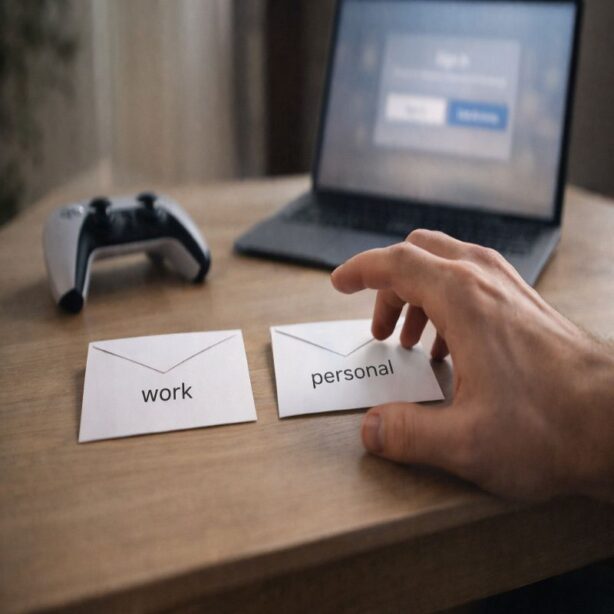
So if you have multiple Microsoft accounts in the household, or you’re setting this up for a child on a shared PS5, it’s worth deciding up front which Microsoft account should be “the FH5 account” for that PSN profile. If you pick the wrong one, you can create a mess that’s hard to undo cleanly later.
Common real-life scenarios (where people accidentally link the wrong account)
- You sign in with a “work” Microsoft account because it’s already saved on your phone browser.
- A family member links their own Microsoft account on the shared console “just to get past the screen.”
- You have one Microsoft account for PC gaming and another for Xbox history, and you guess the wrong one.
None of this is catastrophic, but it can be frustrating. And it’s avoidable if you slow down for 30 seconds and confirm the email address you’re about to use.
How the linking flow works on PS5
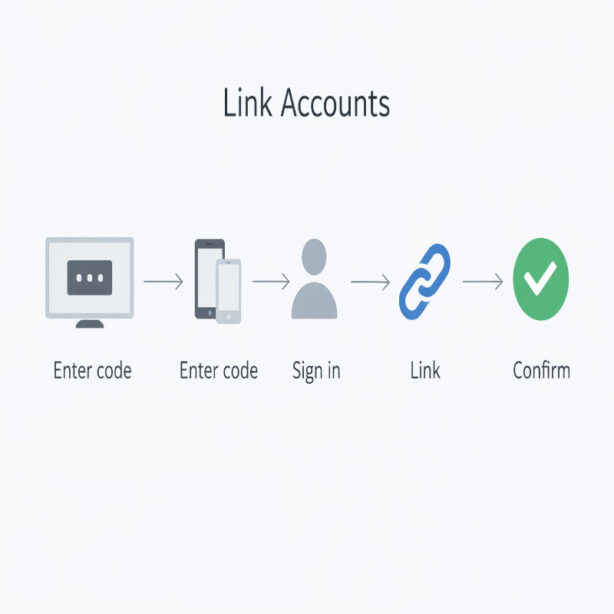
Forza Support provides a step-by-step “Link Accounts” process for PS5. The high-level idea is simple: the game shows you a code, you enter that code on a Microsoft linking page, then you confirm the link back on the console.
Link Accounts in Forza Horizon 5 (PS5)
- Launch the game and select Start Game at the Title Screen.
- When the Microsoft Account Login menu appears, select Link Accounts.
- View the access code displayed on your PS5 screen.
- On a phone or computer, go to microsoft.com/link (or scan the QR code shown on screen, if available).
- Enter the access code shown on your console.
- Sign in with the Microsoft account you want to use.
- Return to your PS5 screen, verify the account details are correct, then select Confirm Linking after checking the box that says you understand you cannot change them later.
That last checkbox is doing a lot of work. It’s basically the “final warning” that you should not treat this as a throwaway login.
What gets affected by Microsoft account linking
Linking isn’t just about getting past the start screen. It changes how the game can connect you to online systems.
Cross-play with friends
The PS5 FAQ describes cross-play being available across platforms and explains that your Microsoft account enables you to play with friends regardless of platform, assuming cross-platform and online multiplayer settings are enabled. This is why the friend-adding process often routes through Microsoft identity (gamertag) even if you’re on PS5.
If you’re planning to play with friends on Xbox or PC, it’s usually smoother to follow a dedicated walkthrough: how to add cross-platform friends in Forza Horizon 5.
Online multiplayer access on PS5
The PS5 FAQ states that an active PlayStation Plus membership is required to access online multiplayer features in FH5 on PS5, while solo/offline features are available even without membership.
This matters because it’s easy to misread a “can’t join session” issue as a linking problem when it’s actually a PS Plus or online-multiplayer access issue.
Synced online stats (but not full saves)
The PS5 FAQ says FH5 on PS5 does not carry over save files from other platforms, and it also notes that Xbox and Steam saves are separate and not synchronized. At the same time, it says some online statistics tied to leaderboards are attached to your Microsoft account and synchronized across Xbox, PS5, and PC.
So linking can matter for leaderboard-related continuity, even though your full “career save” doesn’t magically follow you from Xbox/PC to PS5.
Unlinking: what you can do, and what you can’t
This is where people want a clean reset. The official wording is important, so it’s worth repeating plainly:
- You can unlink the Microsoft account from that PSN account for Forza Horizon 5.
- But you’ll be constrained to relinking only the originally linked Microsoft account for FH5.
In other words: unlinking is not the same as “switch to a different Microsoft account for FH5 on that PSN profile.” If the goal is to swap accounts, unlinking won’t get you there.
That’s why, when someone says “I linked the wrong account,” the best outcome is usually to recover access to the originally linked Microsoft account rather than trying to replace it with a new one.
Linking problems (and calm ways to troubleshoot)
Linking issues tend to feel dramatic because they block you from playing. But many are fixable with a few careful checks.
Problem: The code page works, but the console won’t confirm
- Try opening microsoft.com/link in a different browser or device (phone vs laptop), then re-enter the code.
- Make sure you’re signing in with the intended Microsoft account — not one that’s auto-filled by your browser.
Problem: You used the wrong Microsoft account
- Before you do anything else, try signing into that same Microsoft account on a browser to confirm you can access it.
- If it’s a forgotten password situation, handle account recovery first; it’s usually easier than trying to “work around” the permanent relinking rule.
Problem: You can’t play online after linking
- Confirm PlayStation Plus is active (FH5 requires it for PS5 online multiplayer).
- Make sure you’ve completed the initial experience enough to unlock online multiplayer features.
- Confirm you’re in Horizon Life mode when trying to join a friend session.
And if you’re stuck in that annoying loop where everything looks correct but invites still don’t work, this is where a systematic checklist helps: FH5 cross-play not working.
Safety note: don’t treat linking as a “quick click” step
Because linking is sticky for FH5 on PS5, it’s worth using a Microsoft account you actively control, with up-to-date recovery options. That’s not a gaming tip so much as a life tip. If you ever need to recover the account, you’ll want access to the email/phone methods tied to it.
Also, if you’re setting this up for a kid or a shared console, it’s usually better to do the linking together once than to leave it to chance later.
Conclusion
Forza Horizon 5 PS5 Microsoft account linking is required, and it starts the first time you launch the game on PS5. The most important detail is the “title-by-title and permanent” rule: you can unlink, but you’ll be constrained to relinking only the originally linked Microsoft account for FH5.
If you link carefully, the payoff is that cross-play features and Microsoft-identity-based systems (like cross-platform friend connections and some synced leaderboard stats) work the way FH5 expects. And if you’re trying to play with friends across devices, the practical next step is still the same: follow how to add cross-platform friends in Forza Horizon 5, then use convoys to get into the same session.