
iPhone 17 Pro Max Review Zoom 4x vs 8x
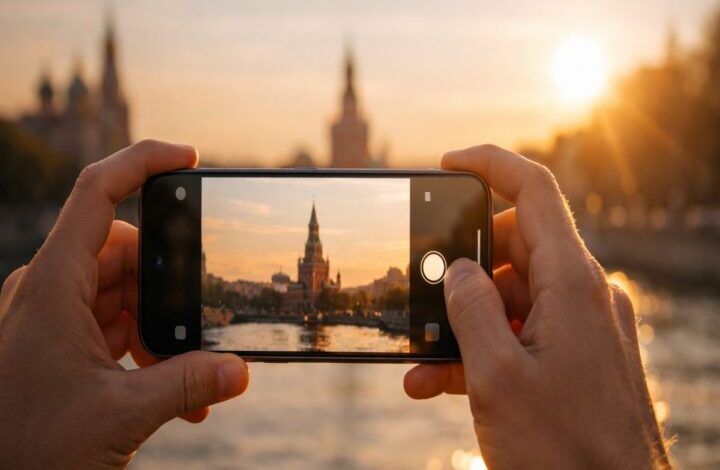
If you’ve ever pinched to zoom, gotten excited, and then felt a little let down when you looked at the photo later… you’re not alone. The iPhone 17 Pro Max makes zoom feel simpler on the surface—0.5×, 1×, 2×, 4×, 8×—but the “best” option depends on what you’re shooting, how steady you are, and (honestly) how patient you’re willing to be in the moment.
This guide is a practical companion to the main iphone 17 pro max review. It’s focused on one question people actually have: when should you trust 8×, and when is 4× the smarter choice?
Quick spoiler, but I’ll say it anyway: 4× is the “use it without thinking” zoom. 8× is the “use it when you have a reason” zoom. And yes, 8× can be surprisingly good—sometimes impressively so—but it rewards good technique more than 4× does.
What 4× and 8× really mean on iPhone 17 Pro Max
The iPhone 17 Pro and Pro Max show shortcut zoom levels for 0.5×, 1×, 2×, 4×, and 8× in the Camera app, which is part of why this year’s zoom story feels more “intentional” than just dragging a slider around. It’s not just convenience; it’s the phone nudging you toward its strongest pipelines.
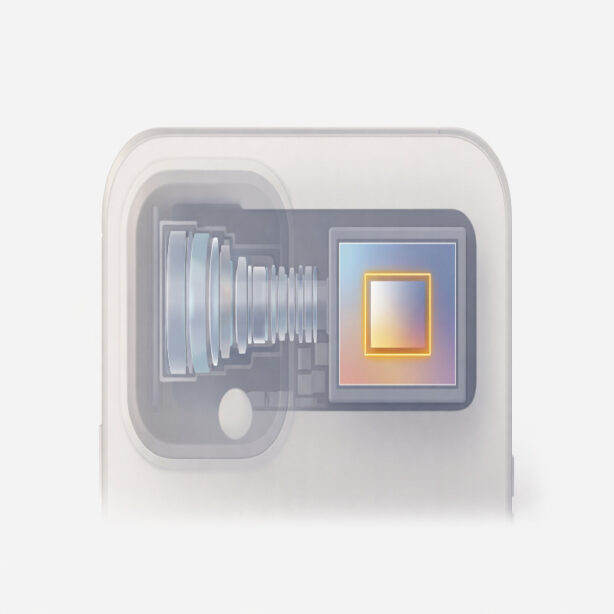
Camera-focused testing from Lux argues that Apple’s confidence in 8× comes from its center-crop imaging pipeline on the telephoto camera, aiming for a 12-megapixel 8× result that Apple describes as “optical quality.” Lux also highlights the big hardware change behind that: a 48-megapixel telephoto sensor that’s notably larger than before, which gives the system more real image data to work with.
In plain terms: 4× uses the telephoto camera in its “native” comfort zone. 8× is the phone using the telephoto sensor plus computational processing to reach farther without turning into mush immediately. It’s not a random digital zoom, but it also isn’t a traditional separate 8× lens.
When 4× is the better choice
If you only remember one thing from this article, make it this: 4× is the default zoom you can trust across the most situations. Lux even calls 4× an elegant solution for portraits and details, and emphasizes the lens’ natural rendering and impressive stabilization.
1) People portraits that still look like people
4× is a sweet spot when you want a flattering look without the “phone portrait mode” vibe taking over.
You get pleasing compression for faces, and you can keep a comfortable distance so you’re not in someone’s personal space.
If you’re shooting friends or family and you want consistent results quickly, 4× usually wins because it gives you more margin for small movement. A tiny wobble at 4× is a lot more forgivable than a tiny wobble at 8×.
2) Details while walking (travel, street, casual wildlife)
This is where the Pro Max camera starts to feel like a tool, not a toy. You can isolate architectural details, signs, textures, or a bird that isn’t exactly close, and still keep the shot looking natural.
If you want a more “field guide” approach to daily shooting routines, the battery-and-travel side pairs nicely with
iPhone 17 Pro Max review battery life tests. Zoom use and battery drain aren’t the same thing, but they tend to show up together on the same kind of day.
3) Low light where you still want a usable photo
Lux notes that even 4× can rely heavily on processing and Night Mode compared to the main camera, and that you may need Night Mode and/or ProRAW to get the most out of a shot. That’s already your warning: telephoto at night is always a negotiation.
But between 4× and 8× in low light, 4× is usually the more realistic choice. It’s simply easier to stabilize, and the phone has more room to keep detail from looking overly smoothed.
When 8× is worth it (and when it isn’t)
8× is the zoom mode that sparks arguments because it sits right on the line between “this is shockingly good” and “why does this look weird?” Lux says the overall experience of shooting at this long reach shouldn’t be as good as it is, and describes how stabilization can cause the viewfinder to warp or lag a little as the system fights hand shake in real time.
Engadget’s real-world testing lands in a similar place: they found the 8× option delivered clean shots with little noise or blur and was generally well-exposed, especially compared to older iPhones that simply didn’t give you this kind of flexible mid-to-long zoom behavior. So it’s not a gimmick. It’s just… not free.

1) Bright daylight “reach” shots
In good light, 8× is the mode that lets you compress a scene and tell a different story. Lux gives a great example of shifting from an “obvious” 4× composition to a more selective 8× framing—choosing what to exclude, not just what to include.
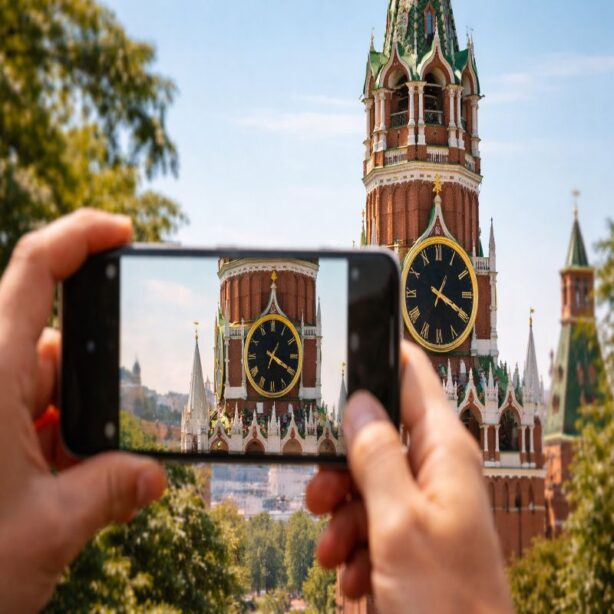
If you travel and you love isolating distant details—clock towers, balconies, mountain ridges, a person on a bridge—8× is legitimately useful. It’s also the mode that can make you notice details you didn’t even see with your eyes at the time, which is a very specific kind of fun.
2) Static subjects when you can brace yourself
Here’s the unglamorous truth: 8× becomes much better when you slow down. Brace your elbows against your torso, exhale, and take two or three shots instead of one. Lux compares the steadiness challenge to hand-holding a 200mm lens, which is a helpful mental model—small hand movements get magnified.
If you prefer using a physical control instead of tapping the screen, Apple’s own guide explains how Camera Control can open the camera, take a photo, or record video with presses, and also how to maintain AE/AF Lock by pressing and holding. It’s not a magic “make 8× perfect” switch, but it can help you hold exposure and focus steady while you concentrate on stability.
If you’ve been frustrated by camera glitches or photos not showing up quickly, you might want to keep this bookmarked: iPhone 17 Pro Max camera issues and fixes. It’s the sort of thing you only search for when you need it, and then you really need it.
3) “I can’t get closer” moments
Sometimes 8× isn’t about being artistic. It’s just logistics. You can’t walk closer because there’s a river, a fence, a road, or a crowd. In those moments, 8× can feel like getting a photo you otherwise wouldn’t have at all.
That said, if your subject is moving fast, 8× can turn into a patience test. Lux specifically notes that capturing rapid motion at this reach can be challenging even with stabilization. If the subject is active—kids running, pets sprinting, a bird launching—4× often gives you a higher “keeper rate.”
4× vs 8×: a simple decision guide
I think people overcomplicate this because we want a single “best zoom.” There isn’t one. So here’s a practical, slightly imperfect guide you can use in the moment.
- Choose 4× if the light is mixed, the subject is moving, or you’re shooting quickly with one hand.
- Choose 8× if the light is strong, the subject is mostly static, and you can brace yourself for a second.
- Choose 4× for portraits most of the time; 8× can work, but it’s less forgiving and can feel “too far away” socially.
- Choose 8× for distant details that matter to the story of the image (a face across a plaza, a landmark detail, wildlife that won’t let you near).
Technique tips that make 8× look better
These are small things, and I almost hate that they matter, but they do. The phone is doing a lot of computational work at 8×, and your job is basically to give it clean input.
- Stabilize your body first: feet planted, elbows tucked, gentle breath out as you press the shutter.
- Take 2–3 shots: tiny differences in motion can change which one ends up sharpest.
- Hold exposure/focus steady for a beat: using AE/AF Lock via Camera Control can help you avoid the phone “hunting” at the worst time.
- Be realistic at night: Lux notes telephoto shots can require Night Mode and/or ProRAW, and results may still look smoothed compared with the main camera.
None of this is meant to make photography feel like homework. It’s more like learning how your car brakes on wet roads—once you understand it, you stop thinking about it.
FAQ: the questions people keep asking
Is 8× “real” zoom?
It’s real in the sense that it’s a distinct capture pipeline designed for that framing, not just a random zoom crop.
Lux describes it as a center crop combined with Apple’s processing, and Engadget’s tests suggest it can produce clean, well-exposed results in practice. But it’s not a separate dedicated 8× lens module in the traditional camera sense.
Why does the viewfinder sometimes look weird at 8×?
Lux notes that at long zoom the viewfinder can warp or lag as stabilization tries to counteract hand movement.
That’s basically the phone revealing the work it’s doing behind the curtain.
Does 8× replace cropping later?
If you know you want an 8× framing, taking it as an 8× shot can give you results that feel more “finished” than a casual crop later, because the phone is applying processing designed for that capture. Cropping a 4× shot can still be valid, especially if the subject is moving and you want the more forgiving 4× capture in the moment.
Conclusion
The biggest takeaway is pretty human: 4× is for reliability, 8× is for intention. In the best cases, 8× is the mode that makes you feel like you brought a longer lens on the trip without actually carrying one. In the worst cases, it reminds you that physics still exists.
If you want the bigger-picture buying guidance again, head back to the main iphone 17 pro max review.
And if you’re deciding whether zoom alone justifies upgrading, that’s where I’d have that conversation with myself first.