How real-world data makes business tools more useful
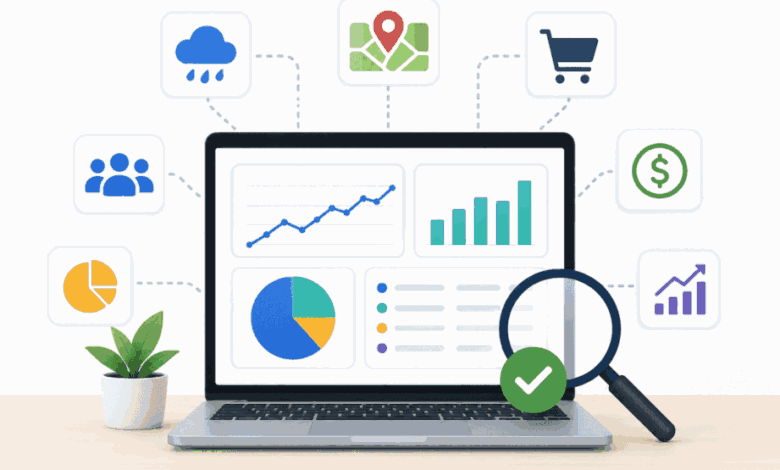
Business tools work best when they reflect the conditions people deal with every day. A dashboard can show sales numbers, support requests, project updates, or system alerts, but those details are often easier to understand when they’re viewed alongside what’s happening outside the company’s own systems.
Customer behavior, local conditions, seasonal changes, and shifting demand can all affect how teams plan their work and respond to problems.
That is why real-world data is becoming a bigger part of business technology. It can turn static reports into practical resources that support better timing, clearer priorities, and more confident decisions.
Business tools are getting better at reading context
For years, business software was built mainly for storage and reporting. Teams used it to track contacts, record sales, manage projects, monitor systems, and review performance after the fact.
Those functions still matter, but many organizations now need tools that help them respond while situations are still developing.
Modern platforms can connect internal activity with outside context. A sales report might show what happened last month, while external signals can help explain why.
A support dashboard might reveal a sudden rise in tickets, while related information can point to the conditions that caused the pressure.
A workflow platform might show delays, while broader data can help managers spot patterns before they turn into larger problems.
This shift makes business tools feel less like static databases and more like practical decision-support systems.
They help people understand what is happening, why it matters, and where to direct attention next.
Internal data only tells part of the story
Internal data is often the starting point for better decisions. Website analytics, sales activity, customer feedback, support tickets, inventory reports, and project updates can all show how a business is operating.
These signals help teams understand customer behavior, process delays, and day-to-day priorities.
That kind of visibility is one reason digital tools are simplifying complex workflows, especially for teams trying to reduce scattered updates and make daily work easier to manage.
The limitation is that internal data usually explains only one side of the situation.
It shows what happened inside the business, but it may not reveal the outside conditions that influenced those results.
To get more value from their software, teams need a fuller view of the environment around each decision.
Real-world data helps tools respond to changing conditions
Business tools become more practical when they account for conditions outside the company’s own systems.
A scheduling platform, customer dashboard, or forecasting tool might already show assignments, sales trends, or service activity. Those details can carry a different meaning when outside factors come into play.
Location, traffic patterns, seasonal demand, public events, and local weather can all affect how people shop, travel, book services, or request support.
When these factors matter, outside sources such as mapping tools, traffic data, or a weather data API can help planning tools, dashboards, or customer platforms include weather alongside other business data.
This connection helps software reflect the real conditions behind the numbers.
Instead of treating every delay, spike, or slowdown as an isolated event, teams can see how outside factors may be shaping the outcome.
Smarter inputs can improve planning and customer experience
Real-world signals can make planning feel less reactive.
When teams understand the conditions that influence demand, service timing, or customer behavior, they can prepare more accurately rather than waiting for issues to arise.
A retailer might adjust staffing when local events are expected to increase foot traffic.
A delivery company might send clearer customer updates when outside conditions affect arrival windows.
A support team might notice that certain requests rise during seasonal changes or regional disruptions.
The value comes from bringing these signals into the tools people already use.
When relevant information appears in dashboards, planning systems, or customer platforms, teams can act with greater confidence and provide customers with clearer, more timely updates.
Better data can support AI and automation
AI tools depend on the quality and range of information they can work with.
A model that only sees internal records may find patterns in sales, support requests, or system activity, but it can miss the outside conditions that shaped those patterns.
Better inputs can make automated systems more useful, especially as external data and AI become more closely connected in business decision-making.
External signals can help tools produce more accurate forecasts, flag unusual changes, and support recommendations that align with what is happening in the real world.
That does not mean every process should be automated.
The goal is to give people relevant information at the right moment, so they can make decisions with more context and less guesswork.
More data only helps when it stays practical
More data does not automatically make a tool better.
When teams have to sort through too many signals, alerts, or reports, the software can become harder to use.
The best systems keep attention on information that helps people make a clear decision.
Businesses need to be selective about the data they connect.
A useful signal should answer a real question, explain a pattern, or help a team act sooner.
If it only adds noise, it can slow people down rather than make their work easier.
Practical tools also need clean data, clear permissions, and simple presentation.
When information is reliable and easy to understand, teams are more likely to use it in daily decisions rather than treat it as another layer of complexity.
Conclusion
Business tools become more valuable when they reflect the real conditions behind everyday decisions.
Internal data can show what happened, while real-world signals help explain why it happened and what teams should do next.
The strongest tools are not the ones that collect the most information.
They are the ones that bring the right context into the right workflow, making it easier for people to plan, respond, and make decisions with confidence.