
Importing the Huawei MateBook Fold outside China
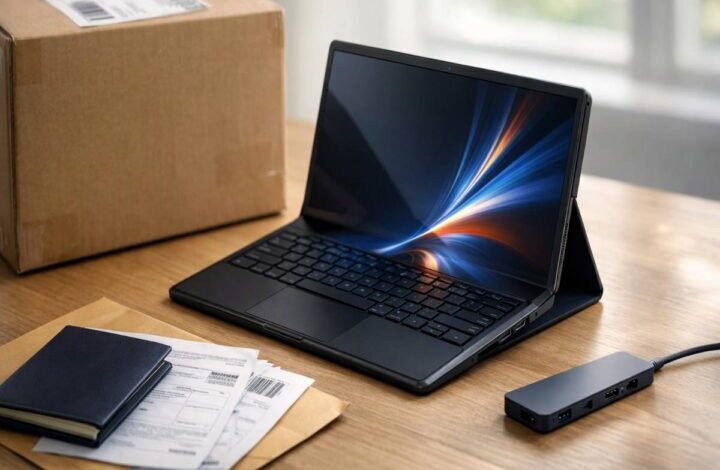
Importing the Huawei MateBook Fold is one of those ideas that starts out feeling simple. You see the hardware, you see the form factor, you check the price, and you think, “Fine. I’ll just order it.” Then you remember the quiet part out loud: it’s only officially available in China, and everything about buying it abroad becomes a little more fragile—returns, warranty coverage, support, even basic expectations around what the operating system can run.
This is a practical guide for cautious buyers. Not to talk you out of it, and not to hype it up either. Just to help you avoid the most common “I didn’t think of that” problems—the ones that only show up after the box arrives and you’ve already emotionally committed.
If you haven’t read the full overview yet, start there first: Huawei matebook fold: real-world guide. It’ll give you the context on what this device is trying to be, and why so many people are excited about an 18-inch screen that folds down into a more travel-friendly footprint.
First: be clear on what “China-first” really means
When reviewers say the Huawei MateBook Fold is “only available in China,” it isn’t just a geography footnote. It changes the entire buying equation—especially if you expect normal retail protections, easy returns, or a service center you can physically visit.
Practically, “China-first” usually means you’re buying through a reseller, an importer, or a marketplace listing. That can still be legitimate, but it also means your safety net tends to be the seller’s policy, not a simple manufacturer-backed experience.
I’ve seen buyers treat that like a minor detail, and then get stuck in email threads when something goes wrong. It’s not fun.
Should you import it at all?
This is where I’m going to be slightly annoying and ask a question that sounds obvious: what are you trying to solve?
If it’s “I want a bigger screen for travel without carrying a heavy 16-inch laptop,” importing can make sense. TechRadar’s hands-on leans into exactly that lifestyle case—frequent travel, lightweight productivity, big canvas—because the Fold is extremely thin and light for what it is, and the detachable keyboard approach makes it easier to carry than you’d assume.
If it’s “I need a safe, supported work computer,” importing is where things get complicated quickly. Not because you’re doing something wrong, but because professional workflows depend on boring stuff: predictable support, compliance, compatible software, and the ability to fix problems fast.
The tricky part is that both of these can be true for the same person. You can want the future and still need reliability. That tension shows up a lot with foldables, and it’s okay to admit it instead of pretending there’s one clean answer.

A practical importing checklist (the non-glamorous stuff)
If you do one thing before paying, do this: treat the purchase like you’re buying a used car. Not because the device is shady, but because the supply chain might be.
1) Confirm the exact model and what’s included
Listings can be vague, and “bundle” language can hide important differences. Before you buy, you want the seller to state the details clearly, preferably in writing (chat logs count).
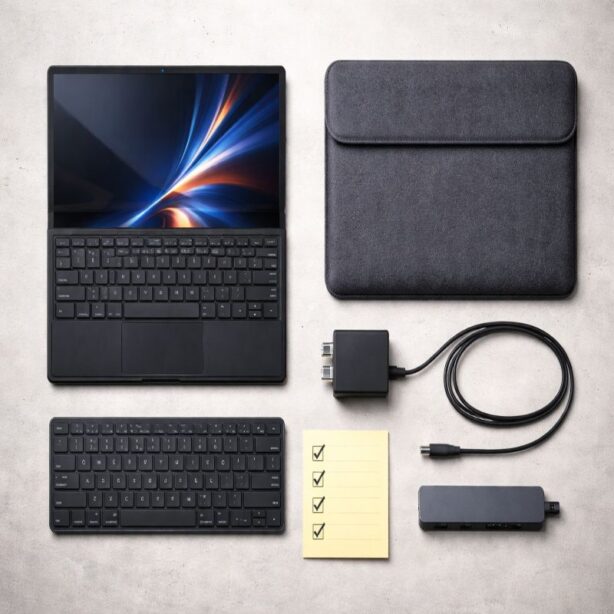
- RAM and storage configuration (you’ll often see 32GB RAM paired with 1TB or 2TB storage).
- Whether the detachable Bluetooth keyboard is included.
- Whether a case, stand, or protective cover is included.
- Edition naming and color (some listings call it “Ultimate Edition” or “Ultimate Design”).
This matters because the experience changes if the keyboard isn’t included. TechRadar notes the Fold’s detachable keyboard can magnetically attach at the back, which makes carrying it feel less clumsy than expected. That’s a big part of why the device feels “portable” rather than “awkward.”
If you want to think through how you’d actually use it—desk setup, laptop-ish setup, and the moments you’d rely on touch—read Huawei MateBook Fold modes: laptop vs tablet vs desk setup. It’s surprisingly clarifying, especially before you spend premium money.
2) Ask about language, region, and account setup
This part can feel “fine” in a listing and then feel very real on day one. Ask upfront:
- Which languages are available out of the box and whether English is supported end-to-end.
- Whether you need a China-region account for certain services or app stores.
- What comes preinstalled and what can be removed.
A lot of friction comes from small defaults. It’s not always a deal-breaker. But it is the kind of friction that can quietly drain your excitement, which is not what you want after importing a niche device.
3) Take HarmonyOS 5 compatibility seriously
The Huawei MateBook Fold runs HarmonyOS, not Windows. TechRadar’s hands-on argues that HarmonyOS 5 feels more responsive to touch than Windows on touch-first devices, and that’s part of the appeal.
But import buyers should focus on the other side of the coin: whether your must-have software works, and what your fallback plan is if it doesn’t.
It’s easy to assume “it’s a laptop” means “it runs what my laptop runs.” That assumption is where people get burned.
If you’re buying this for work, build a short “I can’t fail” list: VPN, conferencing, office suite, your browser setup, password manager, and any specialized tools you rely on. Then validate each one. A structured way to do that lives in HarmonyOS 5 on the MateBook Fold: app compatibility checklist.
I’ll admit something slightly contradictory: I like the idea of a touch-first laptop OS. I also think most of us forget how many invisible dependencies our workflow has until we switch platforms. So yes—be excited. Just verify first.
4) Understand returns and warranty like an adult (even if it’s boring)
Return policies across borders are often where “good deal” turns into “expensive lesson.” Ask the seller, in writing:
- Return window (how many days, counted from delivery or shipment).
- Who pays return shipping, and whether original shipping and taxes are refundable.
- Whether opened items are accepted.
- Whether “compatibility issues” count as a valid return reason.
- What happens with dead-on-arrival units versus failures after a few weeks.
One more thing: read the warranty terms the way you’d read a lease. Look for what counts as “defect,” what counts as “damage,” and what the remedy actually is.
If the answer is vague—like “we will assist”—press for specifics.
5) Plan for repairs before you need them
Foldables add a repair layer that most laptops never have: flexible displays and hinge assemblies are specialized. Shipping internationally for service can be slow and expensive, and it can be a messy process even when everyone is acting in good faith.
- If the display develops an issue, where does it get repaired and who coordinates it?
- Do you have local service options, or will you ship it back internationally?
- What’s your backup plan for work if the device is gone for weeks?
I think this is where some buyers quietly decide the Fold is a “personal device” rather than a “primary work device.” Not because it can’t do work, but because downtime is expensive.
6) Don’t forget power and ports
The MateBook Fold’s thinness is part of the magic. It’s also the reason you’ll want to think about accessories.
TechRadar notes you get two USB-C ports, which is workable—until you need charging, external storage, and a monitor at the same time.
If you plan to use it as a travel workhorse, budget for a quality USB-C hub you trust. And confirm what charger is included and what plug type you’ll receive. Adapters are easy to buy, but it’s better to plan than to scramble on arrival.
7) Calculate the true landed cost
Import pricing is deceptive because the sticker price is only part of it. Your real total may include:
- International shipping and insurance.
- Customs duties and local taxes.
- Payment fees and currency conversion fees.
- Accessories you’ll inevitably buy (hub, sleeve, stand, spare charger).
TechRadar cites a China price of ¥23,999 and gives approximate conversions, which is useful context. But the “final price” is whatever it costs to get it to your desk with a return plan you can live with. Sometimes that number is still worth it. Sometimes it’s a reality check.
Where people get burned (common importing mistakes)
I don’t think most import buyers are reckless. I think they’re optimistic. And optimism is fine—until it replaces process.
- Buying from a listing with unclear bundle details, then realizing the keyboard or case isn’t included.
- Assuming “it’s a laptop” means it will run the same apps as their current laptop.
- Not confirming return shipping costs, then discovering shipping back costs a painful percentage of the device price.
- Ignoring repairs until something happens, then learning the only realistic option is international shipping.
- Underestimating how quickly a simple two-port setup becomes a hub-and-dongle dependency.
If that list feels harsh, it’s not meant to be. It’s meant to be comforting in a weird way—because every one of those problems is avoidable if you slow down and ask the right questions.
A cautious, realistic buying strategy
If you’re committed to importing, here’s a sane way to do it without turning the process into a second job:
- Make your must-have software list and validate it against HarmonyOS expectations.
- Choose the exact configuration you want and refuse “close enough” listings.
- Pick a seller with clear return terms, documented warranty handling, and consistent customer support.
- Budget for a quality USB-C hub and a protective case as part of the purchase, not as an afterthought.
- Keep a backup device plan, even if it’s just a basic laptop you can fall back on.
There’s a world where this sounds overly cautious. But when you’re importing a premium device, the boring steps are usually the ones that keep the experience enjoyable. You want this to feel like an upgrade, not like a project that never ends.
Conclusion: importing the Huawei MateBook Fold without regret
The Huawei MateBook Fold is easy to admire and slightly harder to buy responsibly outside China. TechRadar’s hands-on makes the lifestyle appeal obvious—thin, light, responsive to touch—and it also acknowledges the two constraints import buyers feel immediately: price and software compatibility.
If you like the idea of a big-screen foldable that travels well, importing might still be the right move—especially if you approach it like a careful project rather than a casual checkout.And if you want the broader context again, it’s worth circling back to Huawei matebook fold: real-world guide.