
The Huawei MateBook Fold is one of those products that sounds a bit ridiculous on paper. An 18-inch screen that folds down to something closer to a 13-inch laptop footprint, with a detachable keyboard and a touch-first interface. And yet… it’s hard not to stare at it for a moment and think, “Okay, maybe this is where laptops are headed.” TechRadar’s hands-on take captures that exact shift from skepticism to surprise, especially around how responsive the touch experience feels on HarmonyOS 5 compared to typical Windows touch devices.
This guide is for travelers, remote professionals, and anyone who lives in a backpack-and-coffee-shop rhythm but still wants “big screen energy” without carrying a traditional 16-inch or 18-inch clamshell. It’s also for cautious buyers who want the interesting part and the uncomfortable part: pricing, software compatibility, and the reality that availability is often China-first.
What the huawei matebook fold actually is
At its core, the Huawei MateBook Fold is an all-screen, foldable laptop-style device. Open it fully and you’re looking at an 18-inch OLED display in a 4:3 aspect ratio. Fold it partway and it behaves more like a compact laptop: Huawei frames that folded experience as roughly a 13-inch workspace in a 3:2 aspect ratio.
If this sounds like a tablet pretending to be a laptop… you’re not wrong. But it’s also not a simple “tablet with a keyboard cover” situation. The physical keyboard is detachable, and TechRadar notes it can magnetically attach at the back, which (surprisingly) makes carrying it feel less clumsy than expected. There’s also an on-screen keyboard you can summon with gestures—TechRadar mentions a ten-finger tap to bring it up—which matters because it hints at something bigger: the software is designed to be used by touch first.
A quick note before getting too dreamy: this is not a Windows machine. It runs Huawei’s HarmonyOS 5, and that single detail will either feel exciting (fresh start, smoother touch workflow) or like a hard stop (you need specific Windows apps, drivers, and enterprise tooling).
Who this is really for (and who should skip it)
This part is awkward, because the Huawei MateBook Fold can be both “perfect” and “not for you” at the same time. That’s true of many experimental form factors, but it’s especially true here because the form factor is only half the story—the operating system and availability do the rest.
It makes sense if you…
- Travel often and want a large-screen workspace without carrying a heavy laptop.
- Do research-heavy work: reading, annotating, writing, juggling multiple windows.
- Actually enjoy touch-first navigation and you’re willing to adapt your workflow.
- Can live with two USB-C ports and a more “dongle-friendly” lifestyle.
You should probably skip it (at least for now) if you…
- Rely on Windows-only software for your job (specialized accounting tools, engineering software, proprietary corporate apps).
- Need guaranteed service coverage, easy repairs, and predictable warranty support where you live.
- Work in an IT-managed environment where device compliance, endpoint management, and standardized OS images are non-negotiable.
- Want a “sit down and forget about it” laptop. Foldables tend to demand a bit of attention.
If you’re already thinking, “Yes, but I can import it,” you’re not alone. That’s common with China-first hardware. Still, it changes the risk profile in a way that should be stated plainly. If you want a deeper breakdown, the post importing the Huawei MateBook Fold outside China is where the practical checklist lives.
Design and portability: the real headline
Most laptops can be described in a sentence. This one can’t. The Huawei MateBook Fold is “big” and “small” depending on what you’re doing with it, and that’s the whole point.
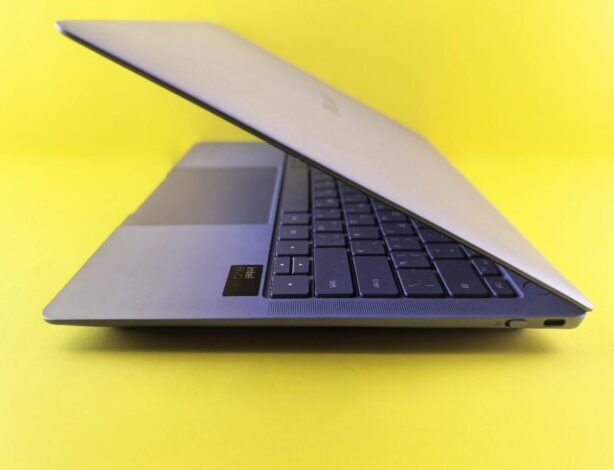
TechRadar’s hands-on describes it as feeling like carrying a large book—big but not bulky—and highlights just how thin it is: about 14.9mm when folded and 7.3mm when unfolded. The weight is also a huge part of the pitch: TechRadar cites about 1.16kg without the keyboard and about 1.45kg with the thin keyboard included. Those are the kinds of numbers that make frequent travelers pause, because you can feel the difference between “fine in a backpack” and “annoying by hour three.”
Of course, portability always has a price. In this case, it’s ports (two USB-C ports, per TechRadar’s notes) and, arguably, the mental overhead of living with a device that can transform. Sometimes you want that. Sometimes you just want a normal laptop that opens and closes without a second thought.
The display: 18 inches of “okay, I get it now”
If you’re going to build an all-screen foldable laptop, the display can’t be merely good. It has to be the reason the product exists.
TechRadar reports an 18-inch OLED display with a 4:3 aspect ratio when fully opened, plus a minimal crease and a very high screen-to-body ratio. It also mentions typical brightness around 700 nits and rated peak brightness up to 1,600 nits, and notes the screen stayed legible in a brightly lit environment. That matters because foldables can sometimes feel “fragile and dim” in real life, even if specs sound impressive.
The 4:3 ratio is also quietly important. It’s not a cinematic, ultra-wide vibe. It’s closer to a productivity canvas—documents, spreadsheets, two windows stacked in a way that doesn’t feel cramped. It’s a little nerdy, perhaps, but if you’ve ever tried to write and research on a narrow laptop screen, you already understand the appeal.
If you want to get very practical about how people end up using that big canvas—vertical orientation, desk setup, when the kickstand becomes your best friend—there’s a dedicated workflow piece here: Huawei MateBook Fold modes: laptop vs tablet vs desk setup.It’s the sort of topic that sounds minor until you’re actually living with a device like this.
Keyboard and input: the part people argue about
A laptop without a fixed keyboard is a controversial idea. Even people who love tablets tend to admit that long typing sessions are different when your hands aren’t anchored to a base.
TechRadar’s hands-on highlights a few points that are worth treating as real, not marketing: the detachable keyboard attaches magnetically and feels secure, and the typing experience is better than expected. It mentions 1.5mm key travel and a pressure-sensitive touchpad designed to reduce accidental inputs. In other words, Huawei seems to understand that if the keyboard is bad, the entire product becomes a showroom trick.
Still, here’s the mild contradiction: even if the keyboard is good, the device also wants you to be okay with a software keyboard sometimes. TechRadar specifically calls out the ten-finger tap gesture to summon the on-screen keyboard, and it frames HarmonyOS 5 as feeling more responsive to touch than Windows in comparable touch-first devices. That’s encouraging… but it’s also not the same thing as “I want to type 4,000 words on glass.”
huawei matebook fold “laptop mode” isn’t simple
Laptop mode is not one mode. It’s a handful of choices you’ll make over and over.
- Quick replies: on-screen keyboard is fine, and sometimes genuinely convenient.
- Real work: the detachable keyboard becomes the default, because your wrists and shoulders will eventually vote for it.
- Desk setup: kickstand plus keyboard can feel surprisingly close to a compact desktop workflow.
It’s easy to say “it’s flexible.” The more honest way to say it is: you’ll probably end up developing habits around it. And habits are great… as long as they match your lifestyle.
Performance: what we know, and what we still don’t
Early coverage often has an uncomfortable limitation: you can’t fully test performance in a short hands-on session. TechRadar explicitly says it didn’t get to put the MateBook Fold’s power credentials through a full test, though it notes an in-house processor paired with 32GB of RAM and 1TB or 2TB of storage.
That’s a respectable memory and storage configuration for a premium productivity machine, but the real questions are the ones that usually show up after two weeks of ownership: sustained performance under long workloads, heat management in different orientations, and whether the experience stays smooth when you’re juggling a lot of apps across a huge screen.
Battery is the same story. TechRadar mentions a 74.60Wh battery and wonders how it holds up in real-world full-screen usage. That’s exactly the question a buyer should ask, because big OLED screens are beautiful, but they don’t run on optimism.
HarmonyOS 5: the biggest win and the biggest risk
This is the part that separates curious browsing from serious buying. The Huawei MateBook Fold runs HarmonyOS 5, not Windows, and TechRadar frames that as a positive for touch responsiveness—especially compared with Windows on devices like the Surface Pro and dual-screen laptops, where touch can feel like a compromise.
But responsiveness is only one layer. The other layer is compatibility. Some mainstream programs may not work the way you expect (or at all), and even when there are alternatives, workflow friction is real. It can be small things—file formats, plugins, corporate VPN requirements, peripheral drivers—and those small things add up fast when you’re under deadline.
If you want a structured way to think about this, the best approach is a checklist rather than a debate. The post HarmonyOS 5 on the MateBook Fold: app compatibility checklist walks through what to verify before you spend serious money.

A realistic compatibility checklist (start here)
- Must-have apps: office suite, browser extensions, password manager, note system.
- Work requirements: VPN, device compliance tools, SSO, encrypted storage expectations.
- Peripheral needs: external monitor behavior, USB hubs, webcams, audio interfaces.
- File workflow: cloud drives, collaboration tools, and whether sharing feels natural.
And yes, this can feel tedious. But it’s less tedious than buying a stunning foldable computer and then discovering you can’t do one essential thing you assumed would be trivial.
Audio, camera, and the “daily life” details
Foldables can sometimes over-focus on the screen and forget the basics. TechRadar notes six speakers, four microphones, and an 8MP front camera for video calls—details that suggest Huawei expects people to actually work and meet on this device, not just admire it.
These aren’t glamorous specs, but they matter. If the camera and mics are merely “fine,” that’s often good enough. If they’re bad, you’ll notice every day. And on a premium-priced device, daily annoyances are harder to forgive.
Price and availability: the part that changes everything
This is where enthusiasm usually slows down a little. TechRadar says the MateBook Fold is only available in China (at least in the context of its hands-on) and cites a price of ¥23,999, with approximate conversions around $3,330 / £2,490 / AU$5,200.
That price is not “impulse buy” territory. It’s “choose this instead of a high-end laptop and a tablet combined” territory. Which can be rational, actually… but only if it fits your work and you can get support if something goes wrong.
If you’re considering importing, it’s worth slowing down and being almost boring about it: clarify what’s included (keyboard? case?), confirm return terms, and think through warranty reality where you live. The more expensive the device, the more these details stop being “fine print” and start being the story.
For a step-by-step, practical approach—without pretending importing is risk-free—see this guide to importing the Huawei MateBook Fold.
Alternatives worth considering (even if you want the Fold)
This is the section people sometimes skip… and then later wish they hadn’t. Alternatives aren’t here to talk you out of the Huawei MateBook Fold. They’re here to make sure you’re choosing it for the right reasons.
- If you need Windows compatibility: a premium ultrabook or a 2-in-1 might feel less exciting but will likely be simpler day to day.
- If you want a bigger workspace without folding: a lightweight 16-inch laptop plus a portable monitor can be surprisingly effective.
- If you want experimentation with support: depending on your region, devices from more widely distributed brands may offer easier service coverage.
There’s also an emotional part here, and it’s okay to admit it: some people like owning “the future,” even if it’s a bit inconvenient. Others want dependable tools. Most of us are somewhere in the middle, and we shift depending on what season of life we’re in.
So… should you buy it?
The most honest answer is “it depends,” which is a phrase everyone hates—and yet it’s true. TechRadar’s writer basically describes falling in love with the concept, calling it a dream laptop for a frequent traveler and freelancer, while still acknowledging the two big constraints: price and software compatibility.
If the idea of an 18-inch OLED workspace that folds into a travel-friendly form makes you feel relieved (not just impressed), the Huawei MateBook Fold may genuinely fit your life. If you’re already anxious about app support, repairs, or whether you’ll be forced into awkward workarounds, listen to that instinct too. It’s not negativity. It’s experience.
My practical advice is simple: decide your non-negotiables first (apps, OS expectations, service coverage), then decide whether the form factor is worth the trade. If it is, do the boring checks, buy from a reputable channel, and keep your expectations realistic. The Huawei MateBook Fold is exciting precisely because it’s not the safe choice.
Conclusion: living with the huawei matebook fold
The Huawei MateBook Fold feels like a glimpse of a laptop category that hasn’t fully formed yet: big-screen productivity that doesn’t punish your shoulders, and touch interaction that isn’t constantly fighting the operating system. TechRadar’s hands-on suggests Huawei is closer than most to making that feel natural, especially with HarmonyOS 5’s responsiveness and the surprisingly workable detachable keyboard.
At the same time, the price and the “China availability” reality make it a more complicated purchase than a normal premium laptop. If you approach it like a careful buyer—checking compatibility, planning for support, and accepting that early-gen devices come with quirks—the huawei matebook fold can be a bold, satisfying choice. If you need certainty, it might be smarter to wait and watch the category mature.