
Parallels vs. Crossover: What’s the Difference?
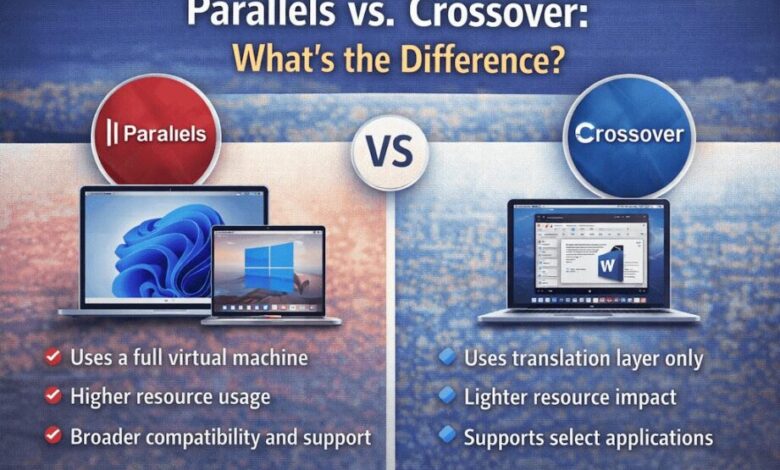
It can be a bit tricky to get the software you need to run various operating systems on a single computer. For these needs, Parallels and Crossover provide solutions. Their methods, however, differ significantly. Knowing the differences, users can use their resources and time in a smart and efficient way. In this post, we compare both options, covering features, limitations, and the types of use cases for which each is more suited.
Purpose and Approach
Users who seek access to applications beyond their device’s native capabilities utilize Parallels and Crossover. Though both accomplish this, the methods they use are different. Parallels, on the other hand, employs virtualization and establishes a virtual computer within your existing system. Crossover, however, interprets what Windows instructs it to do, and so some programs can run without the need for a full virtual machine. The parallels vs. crossover comparison highlights differences in performance, usability, and support options.
Installation and Setup
Configuring Parallels resembles constructing a fully operating mirror environment for an alternate workspace. It has higher requirements in terms of storage space and memory. The user installs the new system just like installing another computer. Crossover installs specific applications, thus bypassing the extra operating system. Because of this difference, the setup of Crossover is a lot simpler, taking less time to install and less computing power to run.
Performance and Speed
And do virtual machines such as Parallels require considerable memory and CPU? Having two operating systems running together means it takes a little more out of the device. These issues can lead to slower performance, especially with graphics-intensive work. Crossover uses far fewer resources because it runs only the necessary software to run the application. Because of this, it usually results in a more rapid start-up and a more seamless experience for the supported apps.
Compatibility and Application Support
This still has a lot to do with a lack of software compatibility. Parallels will execute practically any application that the virtual machine’s host operating system can run, including applications that might require access to advanced hardware features. Pairing at a glance with a wide range of devices, this broad compatibility appeals to those who need the right software functionality. Crossover, on the other hand, only supports select applications.
User Experience and Interface
Parallels users are greeted with something quite familiar, an interface that closely mimics the guest system’s native environment. It definitely feels natural to switch between OSes with seamless task management between the two. Crossover, on the other hand, integrates supported programs into the desktop itself. Applications seem native to the host system, minimizing the need to switch windows or constantly change configuration settings.
Cost and Licensing
Parallels also tends to charge you not only to get the software but also for a new license for the second OS. This accounts for the high cost of adopting it this way. In general, Crossover does not require a separate operating system license since it uses translation technology. That could serve as a factor in the final decision for cost-minded users.
A Quick Decision Story: Pick Your Path
Picture a Monday morning. A designer opens a MacBook, needs a Windows-only plug-in for one client file, and wants to stay in the same project folder. For that job, Crossover can feel like a shortcut. If the app is on its supported list, you install it, launch it, and get back to the task.
Now picture a different Monday. A finance lead has to run an in-house Windows tool, test updates, and log into a locked-down corporate image. That is where Parallels proves its worth. You spin up a full Windows setup, join it to company rules, and treat it like a second computer, with its settings and patches.
Before you choose, ask two quick questions. First, is the work tied to one or two apps, or does it involve a full Windows workflow with drivers and admin tools? Second, how much RAM and storage can you spare without feeling it during the day? Answering those puts you on the right track fast.
If you travel with your laptop, battery and heat matter, too. A virtual machine can run fans harder. It can stay lighter but may fail on niche apps sometimes, suddenly.
Maintenance and Updates
When it comes to Parallels and keeping the two operating systems running as the days go by, there are updates to deal with. Users must check out and install updates regularly to maintain security as well as stability. Crossover applies updates to itself and to the applications that it supports. It is easier to maintain fewer updates, which makes it less likely that there will be conflicts or compatibility problems.
Ideal Use Cases
Parallels excels in accommodating multiple, intricate programs that require execution from a different operating system. It can be used for most of the professional and personal work. Crossover may be a better fit for users who want to run specific applications with minimal impact on their system. Designed to be lightweight, it is useful for users with less powerful devices or simpler requirements.
Conclusion
This is where things like Parallels and Crossover come in as solid solutions for accessing the other software ecosystem. Both methods have their own unique benefits and drawbacks. Parallels is more versatile but also needs to be a resource hog and an expense. Crossover is more efficient and easier to use but has less applicability support. Before choosing, users need to weigh their requirements against factors such as performance, compatibility, and pricing.