
If you’ve been hovering around the handheld PC world for a while, you probably know the feeling: you want “real PC games,” but you also want to play them like a person. On a couch. On a flight. In bed for 20 minutes before you realize you’re about to drop a very expensive device on your face.
The Lenovo Legion Go 2 sits right in that tension. It’s a Windows handheld that tries to deliver a premium, big-screen experience first… and then figure out the rest. Sometimes that order works out brilliantly. Sometimes it creates the exact kind of friction that makes you wonder why you didn’t just buy a gaming laptop and call it a day.
This guide is for people who want the honest version: what it’s like to live with the device, what it does well (it really does some things very well), and what you should plan for if you’re considering buying one.
What the Lenovo Legion Go 2 is (and isn’t)
The simplest way to frame the Lenovo Legion Go 2 is this: it’s a handheld gaming PC that’s trying to feel like a console without giving up PC freedom. That means you get Windows, access to PC storefronts, and the usual flexibility… plus the usual messiness when a desktop operating system is squeezed into a handheld shape.
It also means expectations matter. If what you want is a truly “pick up and play” experience with minimal setup and minimal tinkering, a Windows handheld will always feel like it’s asking a little more from you. Not all the time. But often enough.
And here’s the other piece, the one people don’t always say out loud: this device is not trying to be the value pick. Even reviewers who enjoy it struggle to justify the price compared to other handhelds, especially when you’re well north of $1,000 depending on configuration.
Who it’s actually for
I think the Lenovo Legion Go 2 makes the most sense for a specific kind of buyer:
- Screen-first gamers who care about contrast, motion clarity, and overall “this looks gorgeous” more than they care about perfect value.
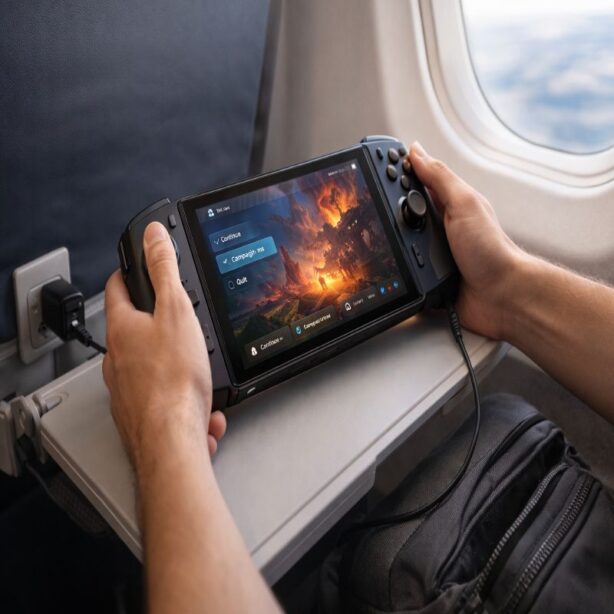
- Travelers who want a big, premium screen in a carryable package, and who don’t mind charging habits becoming part of the routine.
- PC players who want native Windows access (including Windows-native launchers and libraries) and who accept that handheld PC gaming can be a little fussy.
It’s a harder sell if you mostly play lightweight games, don’t care about display quality, or feel allergic to troubleshooting. Not because you can’t use it that way, but because you’ll spend a lot of money to end up using it like a cheaper device.
Lenovo Legion Go 2: the daily experience
The day-to-day story of this handheld is basically a mix of delight and “really, Lenovo?” And weirdly, both feelings can be true in the same hour. You boot up a game, it looks stunning, and then you run into a small Windows pop-up or a sleep/wake quirk that reminds you: yes, this is still a PC.
If you want a very practical “what should I do on day one?” walkthrough, it’s worth keeping a separate checklist. I’d use something like this: Lenovo Legion Go 2 setup checklist. It’s the kind of thing you don’t think you need… until you really, really do.
Lenovo Legion Go 2 screen and comfort
Let’s talk about the headline feature, because it’s the reason many people end up loving this device even while complaining about it: the screen. A prominent review put it bluntly—this is a handheld you buy for the display, and everything else comes second.
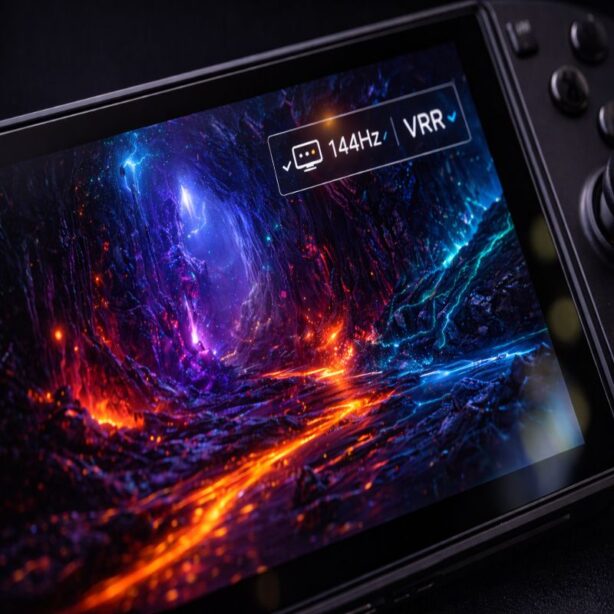
The panel is an 8.8-inch OLED at 1920 × 1200, with a 144Hz refresh rate and VRR support. In plain terms, that combination can make motion look fluid, colors look rich, and contrast feel “inky” in a way LCD handhelds just can’t quite match.
There’s also a subtle lifestyle effect to a great screen that’s hard to quantify. You start choosing different games. You gravitate toward titles with bold art direction. You replay sections just because they look good. It’s not rational, but it’s real.
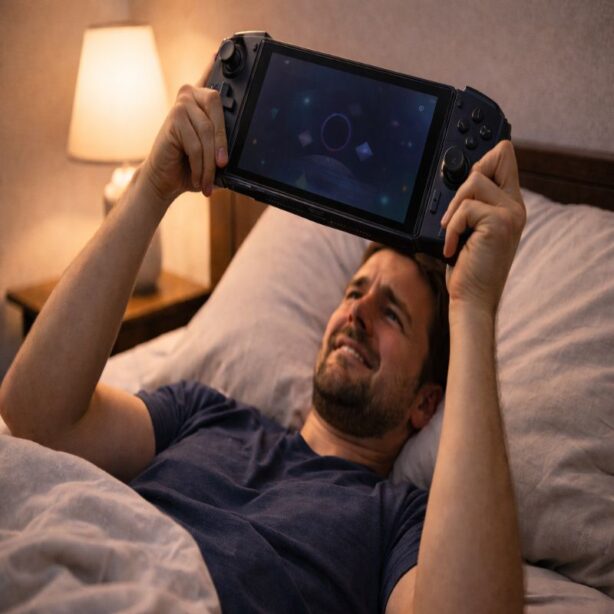
Comfort is more complicated. The same review that praised the screen also described the device as thick and heavy—great in the hands for some people, tiring for others, especially if you’re trying to hold it above your face in bed. That matches the general reality of big-screen handhelds: they’re not delicate little things. You’ll probably end up resting your elbows on something, using the kickstand, or shifting positions a lot.
Controls, detachable controllers, and the “is this worth it?” question
The Legion Go line has a design idea that’s both interesting and occasionally annoying: detachable controllers. On paper, that’s flexibility. In practice, it can be fiddly.
The same reviewer noted that Lenovo still uses exposed pins and a slide-on attachment method that takes two hands and can be awkward to remove and reattach. It’s workable, sure, but it’s not the kind of mechanism you’d describe as graceful.
On the plus side, the controllers use Hall effect sticks, which are generally valued for drift resistance. But feel matters too. The sticks were described as a bit thin compared to other handhelds, which is the sort of “small thing” that can either fade into the background or drive you up a wall, depending on your hands.
There’s also the “FPS mode” concept (using one controller like a mouse). In the review, this was not presented as an improved or reliable feature—more like an idea that still feels compromised, low-DPI, and awkward in real games.
So: interesting hardware, mixed execution. I’m not even saying it’s a dealbreaker. It’s just something you should know before you fall in love with the screen and assume the rest is equally refined.
Performance: what you can expect (not just what you hope)
Handheld PC performance discussions tend to get weirdly emotional. People argue over benchmark points like they’re debating sports teams. I get it, but I think it’s more useful to ask: what will games feel like on the Lenovo Legion Go 2 in the situations you actually care about?
A detailed review characterized the AMD Ryzen Z2 Extreme performance as iterative rather than revolutionary, with modest improvements that might show up as roughly 5–10 fps in some scenarios at higher power settings. That’s not nothing, but it’s also not the kind of leap that transforms what handheld PC gaming is.
The practical takeaway is: yes, you can play modern AAA games at the device’s native 1200p, but you should plan on lowering settings and skipping ray tracing if you want reasonable frame rates. That same review described 35W as the zone where the handheld “fires on all cylinders,” and framed TDP (thermal design power) as a key dial that affects performance.
If you want a settings playbook you can refer to without thinking too hard each time you install a new game, build it once and tweak it over time. I’d keep a dedicated guide like best Lenovo Legion Go 2 settings and update it as drivers and games change.
A realistic way to think about frame rates
Here’s the mental model I recommend—because it stays true even when individual benchmarks change:
- 2D and well-optimized games: this is where high refresh rates shine, and where you can actually enjoy that 144Hz panel without feeling like you’re chasing a fantasy.
- Older 3D titles: these often land in the comfortable “looks good, plays smooth enough” zone at reasonable settings.
- New AAA games: expect compromises; decide whether you care more about resolution, graphics settings, or frame rate, because you rarely get all three.
One of the most convincing arguments in the review wasn’t “look how fast it is,” but “look how good games look on this screen.” In other words, the display can make 40–60 fps feel more satisfying than you’d expect, because motion and contrast are doing some of the heavy lifting for perceived quality.
Battery life, fan noise, and heat (the unglamorous truth)
If you’re coming from a console mindset, handheld PC battery life can feel almost rude. Two to three hours can be normal, and that’s before you factor in high brightness, high power modes, and demanding games.
In one set of real-world tests, the Lenovo Legion Go 2 ran around 2 hours and 40 minutes on balanced settings, and closer to 2 hours during heavier gaming at full resolution and wattage. The same review listed the battery size as 74Wh and noted that it’s a bit smaller than the ROG Ally X’s 80Wh, with the larger OLED display and higher resolution contributing to battery drain.
And yet… I don’t think short battery life automatically makes it a bad device. It changes how you use it. You become a “play in sessions” person. You learn where outlets are. You bring a charger without resenting it. Sometimes you even appreciate the forced stopping point, which feels strangely healthy.
Fan noise and heat are also part of living with any handheld gaming PC. The same reviewer described the fans as noticeable but not “jet engine” loud, and noted that the device stayed cool around the controls even at max wattage. That’s reassuring, especially if you play for longer sessions.
Ports, docks, and the “handheld-to-desktop” dream
The Legion Go 2 includes USB4 ports (top and bottom), which opens the door to charging flexibility, docking, and in theory even eGPU setups. In practice, most people will use USB4 for charging and a dock, and only a smaller group will seriously build an eGPU “battle station” around a handheld.
The same review took a skeptical stance on using it as a big-monitor desktop replacement, arguing you wouldn’t want to push it too far beyond a 1440p monitor for gaming. That’s not a hard rule, but it’s a reasonable caution: scaling up display size often exposes performance limits quickly.
If you’re the kind of person who wants one device that can be handheld today and desk-based tomorrow, it can work. Just keep your expectations calibrated. Think “flexible,” not “miracle replacement.”
Windows on a handheld: the good, the annoying, the fixable
This is the section people skip when they’re excited—and then they come back to it later, slightly tired, after their first update cycle.
A blunt but fair summary from one review: Windows is rough on handhelds. Pop-ups, sleep behavior, background tasks, and touch-first interactions can interrupt the console-like flow, and it can feel like the operating system is constantly reminding you it was designed for a mouse and keyboard.
To be clear, Windows is also the reason you can do certain things easily: run the apps you already use, access broader storefronts, and keep a single device that behaves like a PC when you want it to. That flexibility is real value—especially if you use services like PC game subscriptions, or if your library spans multiple launchers.
Still, there are a few habits that help, almost regardless of which Windows handheld you buy:
- Decide early whether you want “sleep-first” behavior or “hibernate-first” behavior, and stick to it for consistency.
- Reduce background clutter: limit startup apps, tame notifications, and keep updates scheduled rather than surprise-driven.
- Use a repeatable game-install routine: install, launch once, set resolution target, pick a performance preset, then only tweak if something feels off.
If you want the step-by-step version, this is where that setup guide earns its keep: Lenovo Legion Go 2 setup checklist.
Lenovo Legion Go 2 vs the handhelds people actually compare
This is where buying decisions happen, and where you’ll want to be honest about trade-offs instead of trying to “win” a spec war.
Lenovo Legion Go 2 vs Steam Deck OLED
The comparison that comes up constantly is the Steam Deck OLED, and for good reason. A major review argued that even though the Legion Go 2’s display is larger and higher resolution, the Steam Deck OLED remains a much better deal overall—especially given how high Legion Go 2 configurations can climb in price.
What makes this comparison tricky is that the Lenovo can feel more “premium” in screen impact, while the Steam Deck OLED can feel more coherent as a handheld experience. One is chasing “wow.” The other is chasing “it just works” (most of the time).
If you want a dedicated breakdown with buyer-type recommendations, write it out cleanly and keep it updated: Lenovo Legion Go 2 vs Steam Deck OLED.
Lenovo Legion Go 2 vs other Windows handhelds
Within the Windows handheld space, pricing is messy and has been affected by broader market forces. One review explicitly pointed to tariffs as a factor contributing to rising handheld prices and framed the overall situation as unpredictable for buyers.
Even without getting pulled into politics, the practical advice is simple: don’t assume prices will behave nicely. If you’re on the fence and a deal appears from a reputable retailer, that may matter more than usual.
What I’d check before you buy
This isn’t the fun part, but it’s the part that prevents regret.
- Your hands and comfort: if possible, try holding it. Large handhelds can be wonderful, but they can also feel like a commitment.
- Your tolerance for Windows friction: if desktop pop-ups and update habits already annoy you on a laptop, they won’t magically become charming on a handheld.
- Your play style: if you mainly play AAA games at high settings and hate compromises, you might be happier with a gaming laptop; one review openly argued it’s hard to justify spending well over $1,000 on a handheld instead of buying a full laptop.
- Your game library: if you bounce between launchers or rely on Windows-only titles, Windows handhelds are compelling despite the hassle.
Should you buy the Lenovo Legion Go 2?
I’ll say it in a slightly imperfect way, because that’s honestly how the decision feels: the Lenovo Legion Go 2 is a device I can admire and still hesitate to recommend universally.
If you want a big OLED display that makes games look borderline ridiculous (in the best way), and you’re willing to accept weight, price, and a bit of Windows awkwardness, it can be a genuinely enjoyable companion device. One review even described that shift—from eye-rolling frustration to personal attachment—as the handheld started to feel “personal” over time.
But if you’re value-sensitive, want the most streamlined handheld experience, or you just don’t want to think about power modes and pop-ups, you’ll probably be happier elsewhere. And that’s okay. Handheld PC gaming is finally broad enough that “elsewhere” can still be really good.
Either way, if the Lenovo Legion Go 2 is on your shortlist, I’d strongly recommend you plan your first week: do the setup cleanly, pick a settings baseline, and decide what you’re optimizing for—battery, smoothness, or visuals. You’ll enjoy it more when it stops feeling like a project.