
Best Iphone 17 Pro Cases: Picks That Feel Worth it
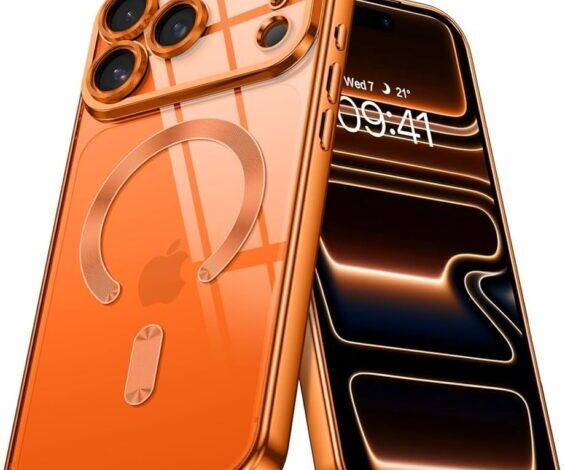
If you’re searching for the best iphone 17 pro cases, you’re probably trying to avoid two very specific feelings: that sick little drop-stomach moment, and the quieter regret of buying a case that looks great online but feels wrong in your hand. I think most of us have been there. You get the “popular” one, you use it for a day, and you realize the buttons feel mushy, the MagSafe magnet is… fine (which is not the same as good), and the whole phone suddenly feels like it gained weight.
This guide is meant to be practical. It’s not a lab report, and it’s not a list of twenty nearly identical clear cases. It’s a set of picks and a way of thinking—so you end up with a case that protects your iPhone 17 Pro and makes it nicer to use, not more annoying.
One quick note before we get into it: the iPhone 17 Pro design creates a small but real challenge for case makers. The larger camera “plateau” can leave less room for case material along the back near the top edge, which makes rigidity there more important than it used to be. TechRadar called this out specifically, and it’s exactly the sort of detail that actually matters in day-to-day use.
Best Iphone 17 pro cases (quick picks first)
If you only read one section, make it this one. These are the categories people actually buy cases for, and the trade-offs are honest.
- Best balanced case for most people: Mous Limitless 6.0 (protective without feeling like a brick; also designed to improve top-edge rigidity on the 17 Pro line).
- Best rugged case: OtterBox Defender Series Pro XT (heavy-duty, MagSafe compatible, and includes a built-in Camera Control button).
- Best budget clear case: ESR Classic Hybrid Magnetic (often very affordable; popular style with shock-absorbing corners, and widely marketed with drop claims).
- Best customizable clear case: Casetify Impact / Bounce (if you want designs and higher drop-rated options, you’ll likely end up here).
- Best “I want a kickstand but not a weird one”: ESR Tough/Soft/Clear Magnetic with camera-ring kickstand (nice idea, but it’s landscape-only—worth knowing up front).
And yes—this is where taste creeps in. I’m not immune. I like cases that feel secure but not sticky, and I’m picky about button feel. You may be the opposite. That’s fine; it just changes which compromises are acceptable.
If MagSafe strength is your make-or-break feature (wallets, car mounts, Qi2 charging), you’ll probably want to read our deeper guide on MagSafe iPhone 17 Pro case choices and magnet strength as you decide.
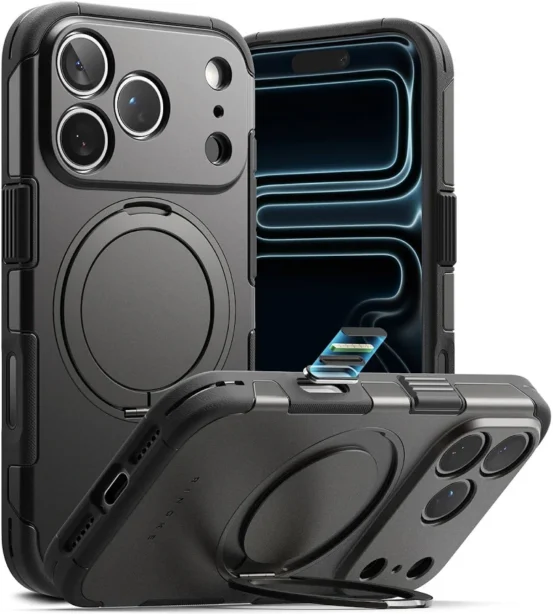
Best overall: Mous Limitless 6.0 (balanced protection)
Mous is one of those brands that gets recommended a lot, sometimes a little too casually. But the reason it keeps showing up is simple: the Limitless line usually nails the “premium protective” middle ground. TechRadar notes a very specific improvement for the iPhone 17 Pro generation—extra rigidity along the top edge, which matters more now because the enlarged camera plateau leaves less room for case material in that area.
They also mention Mous made the iPhone 17-specific Limitless 6.0 cases about 25% thinner than the previous generation while improving stiffness. That’s a meaningful claim, because the “protective case that feels chunky” is one of the most common reasons people abandon a case after a month.
Who it’s for: You want one case that can handle daily life (bags, pockets, desks, occasional drops), but you still care how the phone feels in-hand.
Who should skip it: If you want the cheapest acceptable case, or you’re extremely sensitive to added weight, you may feel like you’re paying for the brand and the finishing.
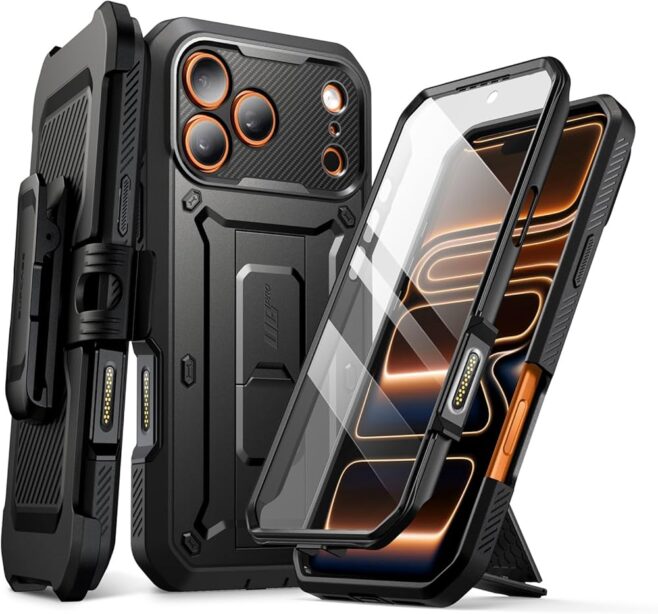
Best rugged: OtterBox Defender Series Pro XT (maximum peace of mind)
Rugged cases are a little funny. We buy them imagining dramatic drops, but most of the damage comes from boring moments—phone slips off an armrest, phone hits tile at the wrong angle, phone gets squeezed in a bag next to something harder than it should be.
The OtterBox Defender Series Pro XT is marketed as “7X tested to military standard,” and OtterBox positions it as a heavy-duty, dual-layer design that still supports MagSafe. The detail that stands out for iPhone 17 Pro owners: it includes a built-in Camera Control button, which can be a big deal if you hate cutouts or if you rely on that control often.
Who it’s for: You’re tough on phones, or your environment is tough on phones—travel, field work, constant movement, kids, all of it.
Who should skip it: Anyone who wants their iPhone 17 Pro to feel sleek. Defender-style cases rarely disappear in your pocket, and that’s kind of the point.
If you’re torn between thick-and-safe and thin-and-pleasant, you’ll probably enjoy our more opinionated breakdown of rugged vs slim iPhone 17 Pro cases. I don’t think there’s a universally correct answer, but there are wrong answers for specific lifestyles.
Best clear on a budget: ESR Classic Hybrid Magnetic
Clear cases are deceptively hard to get right. When they’re good, they’re great: you see the phone, the buttons click nicely, and MagSafe works. When they’re not, they turn into a fingerprinty, slightly-yellowed disappointment that you replace faster than you expected.
Macworld highlights the ESR Classic Hybrid Magnetic Case as a “best budget clear” option and notes it’s designed to resist yellowing longer than cheaper alternatives, with shock-absorbing corners and a marketed drop rating up to 11 feet. Those numbers can be helpful for context, but I’d treat any drop claim as a rough indicator, not a guarantee of survival.
Who it’s for: You want a clear MagSafe iPhone 17 Pro case without spending much, and you’re okay with “good enough” feel.
Who should skip it: If you’re extremely picky about smudges or you want a more premium, less plasticky back feel.
One more thing—yellowing. It happens. Sometimes slowly, sometimes quickly, and sometimes unevenly. If you want the full, honest version of that story, here’s our guide to clear iPhone 17 Pro cases and how to avoid yellowing (or at least delay it).
Best customizable clear: Casetify Impact / Bounce (style plus protection tiers)
Casetify is basically the answer when you want a case that looks like you, not like a product photo. Macworld points out Casetify’s clear Impact and Bounce cases as highly customizable options, with stated drop protection levels that range from about 6.6 feet up to 32.8 feet with the Ultra Bounce Case. Again, treat those numbers as directional. Still, it’s useful that they publish protection tiers—most brands don’t make it that explicit.
Who it’s for: You want designs, personalization, and you’re willing to pay for it.
Who should skip it: If you want a truly “invisible” clear case. Even when Casetify is transparent, it tends to look like a designed object, not just a thin window.
A kickstand option that’s worth considering (with a small catch)
I used to think kickstands were a gimmick. Then I started traveling more, and suddenly being able to prop a phone up on a tray table or hotel desk felt… oddly essential. But kickstands vary a lot: some are sturdy, some wobble, and some feel like they’ll snap if you look at them wrong.
WIRED mentions ESR’s R Clear Soft / Clear / Tough Magnetic cases, noting that they include a built-in kickstand surrounding the camera module, but it only props the phone up in landscape orientation. That’s not necessarily bad—most people watch video in landscape—but it’s the kind of limitation you want to know before you buy.
Who it’s for: You want a MagSafe-compatible case with an integrated stand for video calls, streaming, or travel.
Who should skip it: If you regularly need portrait stand mode (reading, scrolling, FaceTime in vertical), this may bug you more than you expect.
How to pick a case without overthinking it
Here’s the thing: most of the “case shopping stress” is really about uncertainty. You don’t know which features are marketing, which are meaningful, and which will quietly irritate you every day.
So I’d start with three questions. And if you answer them honestly, you narrow the field fast.
1) Do you rely on MagSafe accessories daily?
If you use a MagSafe wallet, a car mount, a bedside charger, or any Qi2 charging stand, magnet strength and alignment matter. A case can be technically compatible and still feel unreliable—especially in a moving car, or when you bump your phone while it’s charging.
This is why I keep pushing people toward a dedicated MagSafe section. It’s not because it’s exciting; it’s because weak magnets are the kind of flaw that turns into a daily annoyance. If you want that deeper dive, the MagSafe iPhone 17 Pro case guide breaks down what to look for and how to sanity-check it quickly.
2) Are you protecting against drops… or against friction?
Most phones don’t die from a dramatic fall. They die from slow friction: sliding off couches, scraping against keys, getting nudged off a desk, bouncing around in a bag. A case with decent corner protection and good grip can prevent a lot of that.
If you know you drop your phone more than you’d like to admit, or you spend time outdoors, or you’re often on hard floors, move “rugged iPhone 17 Pro case” higher on your priority list. If you’re mostly desk-to-pocket-to-car, a slim protective case may be plenty, and it’s honestly nicer.
And yes, I’ll contradict myself slightly: I love slim cases, but I also don’t trust them when I’m traveling. People are inconsistent; that’s normal. Your case choice can be inconsistent too—some people keep a rugged case for trips and a slim case for normal weeks. It’s not irrational. It’s practical.
3) Do you care about button feel (and Camera Control) more than you think?
Buttons are weirdly personal. Some people don’t notice them at all. Others notice every press. With iPhone 17 Pro cases, you’ll also see different approaches to Camera Control—some use cutouts, some integrate a button. OtterBox explicitly calls out a built-in Camera Control button on the Defender Series Pro XT, which is a strong signal that brands are taking this area more seriously now.
If you use Camera Control a lot, prioritize cases that either preserve that feel or improve it. If you barely use it, you can relax a bit—cutouts may be totally fine.
Real-world “testing” you can do in two minutes
I’m going to be honest: I don’t think most people need a scientific test protocol. But I do think you need a quick reality check before committing.
- Grip test: Hold it with one hand like you normally do and pretend you’re reaching for a door handle. If you feel like you need to squeeze harder, that’s a signal.
- Pocket test: Slide it into your usual pocket and pull it out quickly. If it catches, snags, or feels sharp on the edges, you’ll notice it forever.
- MagSafe test: Attach your wallet or charger and gently tug. If it shifts easily, it’ll shift at the worst times too.
- Desk test: Place it face-up and tap the corners. If it rocks wildly, the camera bump or stand design may annoy you on tables.
This isn’t about perfection. It’s about avoiding obvious mismatches early—before you’ve thrown away the packaging and convinced yourself you “just need to get used to it.”
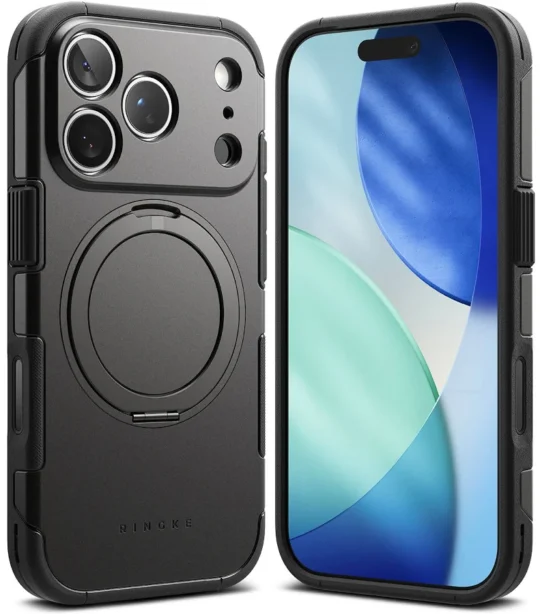
Common case categories (and what people forget)
Slim iPhone 17 Pro cases: the honest limits
Slim cases feel great until they don’t. You get the “real iPhone” feeling back, and your pockets are happier. But you also lose a margin of error on corner drops, and you often lose grip texture.
If you’re going slim, I’d prioritize two things: raised edges (so the screen and camera aren’t first-contact points) and enough side texture that you don’t have to clamp the phone in your hand. If a slim case is perfectly smooth, it’s basically a confidence trick.
Rugged iPhone 17 Pro cases: protection with a price
Rugged cases are comforting. Sometimes they’re also exhausting. They can make the phone feel big, and some make button presses harder. The OtterBox Defender Series Pro XT is positioned as rugged but “thin” for the category, while still being dual-layer and MagSafe compatible, which is what many people want: a safety net that doesn’t ruin the phone.
If you’re considering rugged, ask yourself: do you want maximum drop insurance, or do you want “enough protection that I stop worrying”? Those are different goals.
Clear iPhone 17 Pro cases: manage expectations on yellowing
Clear cases are a commitment. Not in a dramatic way—just in a “time passes” way. Some materials discolor faster, especially if they’re exposed to heat and UV. Some coatings delay it. Some brands design clear cases to resist yellowing longer, but “longer” isn’t “never.”
Macworld calls out ESR’s clear case as being designed to resist yellowing longer than cheaper alternatives. That’s a sensible claim, and it matches what most people experience: better clear cases tend to age more slowly. But they still age.
If this topic matters to you (and it probably does if you’re choosing clear), our guide to clear cases for iPhone 17 Pro goes deeper on materials and what to do if you want clear without the heartbreak.
FAQ
Do I really need a case for the iPhone 17 Pro?
Need? Maybe not. But if you care about resale value, want fewer micro-scratches, or you’ve ever watched your phone slide slowly toward the edge of a table like it’s thinking about it… yes, you’ll probably be happier with a case.
Also, modern iPhones are durable in many ways, but the “one unlucky fall” still exists. Cases mainly buy you luck.
Are drop ratings (11 ft, 21 ft, 32 ft) meaningful?
They’re meaningful as a rough comparison, not as a promise. Macworld reports ESR marketing up to 11 feet and Casetify ranging from around 6.6 feet to 32.8 feet depending on the model tier. Those numbers suggest the brands are designing for impact and are willing to be measured, but real drops vary by angle, surface, and what part hits first.
If you want the safest approach, choose a case that protects corners well and keeps the screen/camera off the surface. After that, you’re mostly buying comfort, grip, and a little extra margin.
What’s the “top-edge rigidity” issue people mention on iPhone 17 Pro cases?
TechRadar notes that the enlarged camera plateau on the iPhone 17 Pro and Pro Max leaves less room for case material along the back near the top edge, which makes sufficient top-edge protection a concern. They specifically say Mous addresses this with enhanced rigidity along the top edge.
If you’ve ever seen a phone crack from a weird top-corner impact, this is why: weak structure plus bad angle plus hard surface.
Should I buy one case or two?
I used to think buying two cases was wasteful. Now I think it can be smart, depending on your life. A slim case for normal days and a rugged case for travel or outdoor weekends is a surprisingly good combo—and you stop forcing one product to do two jobs.
If that sounds like you, check out rugged vs slim iPhone 17 Pro cases before you spend twice.
Final thoughts on the best iphone 17 pro cases
The “best” case is the one that matches how you actually use your phone, not how you imagine you use it. If you’re always on MagSafe accessories, treat magnet strength like a first-class feature. If you drop your phone, be honest and go rugged—even if you hate the bulk. And if you just want your iPhone 17 Pro to feel like an iPhone 17 Pro, pick a case that adds grip and protection without changing the personality of the device.
So yes, there are lots of options. But you don’t need lots. You need one of the best iphone 17 pro cases for your habits, and then you can stop thinking about it.utton case