
Building a Coherent Brand System With Off-the-Shelf Vector Libraries
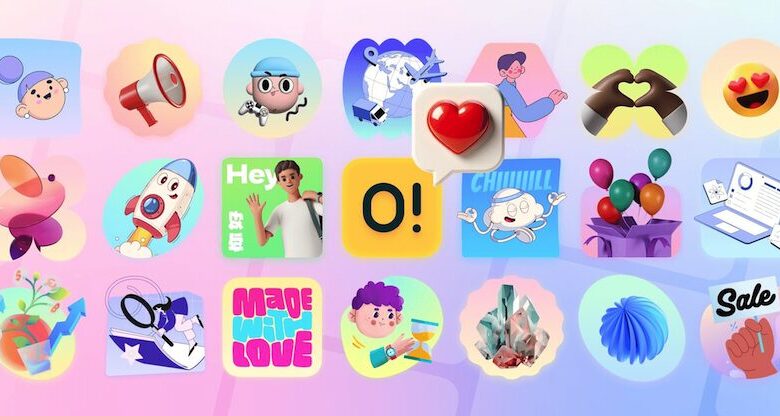
Product teams constantly face a difficult choice when building out their visual identity. Custom artwork costs thousands of dollars and takes weeks to produce. Startups, independent developers, and agencies often default to stock graphics to meet strict deadlines. The problem with traditional stock graphics is visual fragmentation. You end up with a sketchy line drawing for the 404 page and a glossy 3D render for the checkout flow. The brand identity shatters.
The core question for design teams is whether a pre-packaged library can actually support a unified brand system, or if fully custom artwork is a strict requirement for a professional product. Ouch by Icons8 attempts to solve this tension by grouping assets into strictly defined, consistent styles rather than dumping random vectors into a search engine.
How Ouch Structures Its Library for Consistency
Instead of isolated scenes, Ouch focuses on comprehensive user experience coverage. A single style out of their 101 available options includes specific use cases designed to cover an entire user journey. You will find matching assets for add-to-cart actions, login screens, empty states, and error messages.
This matters heavily for production environments. If you pick a minimal monochrome style for your software dashboard today, you need absolute certainty that you can find a matching graphic for a new billing page three months from now. The library contains over 28,000 business and 23,000 technology illustrations to support this kind of long-term scaling.
Ouch breaks these files down into searchable, tagged objects. You do not just download a flattened image of a whole scene. You access layered vector graphics. This allows you to swap out a specific character or a background element to fit your exact layout requirements. The collection has grown significantly from its original 300 assets to thousands of professional files in Version 2.0, ranging from colorfully bold vectors to surrealism and simple line graphics.
Workday Scenarios: Using Ouch in Production
Let us look at how different disciplines integrate this library into their actual workflows from start to finish.
Designing a Complete Onboarding Flow
A UI designer needs to build a five-screen onboarding sequence for a new healthcare application. They start by filtering the Ouch library for the Healthcare category and selecting a specific flat vector style. They locate five related concepts: welcome, user profile setup, data syncing, notification permissions, and a success state.
Because they use the paid Pro plan, they download the SVG files directly. They open the SVGs in their primary design software. They select their brand’s primary color hex code and apply it globally to the accent elements in all five vectors. They then rearrange the individual layered objects, moving a character slightly to the left on the third screen to make room for a specific UI text block. The result is a bespoke looking flow achieved in under an hour, solving the problem of dull app screens without requiring an in-house illustrator.
Scaling Marketing Campaign Assets
A social media marketing manager is running a weekly newsletter and accompanying social posts. They lack a budget for custom illustrations and need visual breaks for text-heavy articles. They log into Mega Creator, the free online editor provided by Icons8.
They select a colorful, trendy style from the Ouch library. For the newsletter header, they pull in a pre-made business scene. They swap out a laptop object for a mobile phone object to match the week’s specific topic. They export the wide layout as a high-resolution PNG for the email campaign. They then duplicate the canvas, resize it to a square, rearrange the exact same vector objects to fit the new aspect ratio, and export it for social media. The visual language remains identical across both channels.
A Typical Developer Quick Fix
Ellis is coding a new feature and realizes the backend requires an unexpected waiting screen. The design team is completely booked for the sprint. Ellis opens the Pichon desktop app, which syncs the entire Ouch library locally.
Ellis filters by the specific style family the designers used for the main application. They find a suitable waiting animation and drag a Lottie JSON file directly from the Pichon app into their code editor. The animation renders perfectly on the waiting screen. Ellis commits the code without ever needing to open a design tool, file a ticket for missing assets, or settle for a generic loading spinner.
Comparing Ouch to the Alternatives
Evaluating Ouch requires looking at the broader landscape of stock graphics and pre-made assets.
Freepik offers massive volume but suffers heavily from style inconsistency. You will spend hours digging through disparate contributor uploads trying to match stroke weights, shadow types, and color palettes. Building a coherent brand system out of Freepik assets requires heavy manual modification.
unDraw provides a highly consistent, open-source library. The downside is market saturation. Because unDraw is completely free and easily recolored, its specific flat-vector style is instantly recognizable across thousands of tech landing pages. It solves the consistency problem but fails to provide any unique brand identity.
Blush allows you to customize specific artist collections directly in interface design tools. It is excellent for character building and diverse representation. It offers less coverage for abstract concepts, 3D models, or complex animated scenes compared to Ouch.
Limitations and when this tool is not the best choice
Ouch is not a perfect replacement for a dedicated in-house illustrator.
First, the free tier is highly restrictive for commercial products. You are limited to PNG formats and must include a link back to Icons8. Most professional applications cannot accommodate visible attribution links on an empty state screen, a checkout page, or inside a mobile application.
Second, working with the 44 available 3D styles requires specific technical knowledge if you want to customize them. The 3D models are provided in FBX format. If you want to modify them beyond the provided MOV animations or static renders, you need proficiency in dedicated 3D software.
Finally, off-the-shelf assets are inherently public. If you build your entire brand identity around one of the trendy styles in the library, a direct competitor can legally purchase a Pro subscription and use the exact same visual language. You trade exclusivity for speed and cost savings.
Practical Tips for Production
Getting the most out of this library requires moving beyond the default downloads and utilizing the specific file formats provided.
- Rely on the Pichon desktop app to keep assets offline, allowing you to drag and drop transparent PNG photos and vectors directly to your canvas.
- Always download the SVG format if you have a paid plan so you can manipulate individual nodes, paths, and colors in your design software.
- Use the Mega Creator tool to combine tagged objects from different scenes as long as they belong to the same style family.
- Prioritize Lottie JSON or Rive formats over GIFs to keep your application lightweight while delivering scalable animations.
- Manage your monthly quota carefully, as unused downloads roll over to the next period.